 CareCard
Your Certificate
View your program certificate, or issue a custom certificate from your verified requirements.
Once your requirements are verified, My Certificate turns them into a certificate you can view and share as proof.
Viewing Your Certificate
Open My Certificate from the Side Menu. Two selectors at the top choose what you see:
- Certificate identity — Which of your identities (for example your student number) the certificate is issued against.
- Certificate — One entry per program, labelled with its term and progress — for example Practical Nursing — Spring/Summer 2026 — 2 of 2 requirements complete — or Custom Certificate.
You need at least one identity in your Profile first. Until you choose a Certificate identity, the Certificate selector stays disabled and no certificate can be issued.
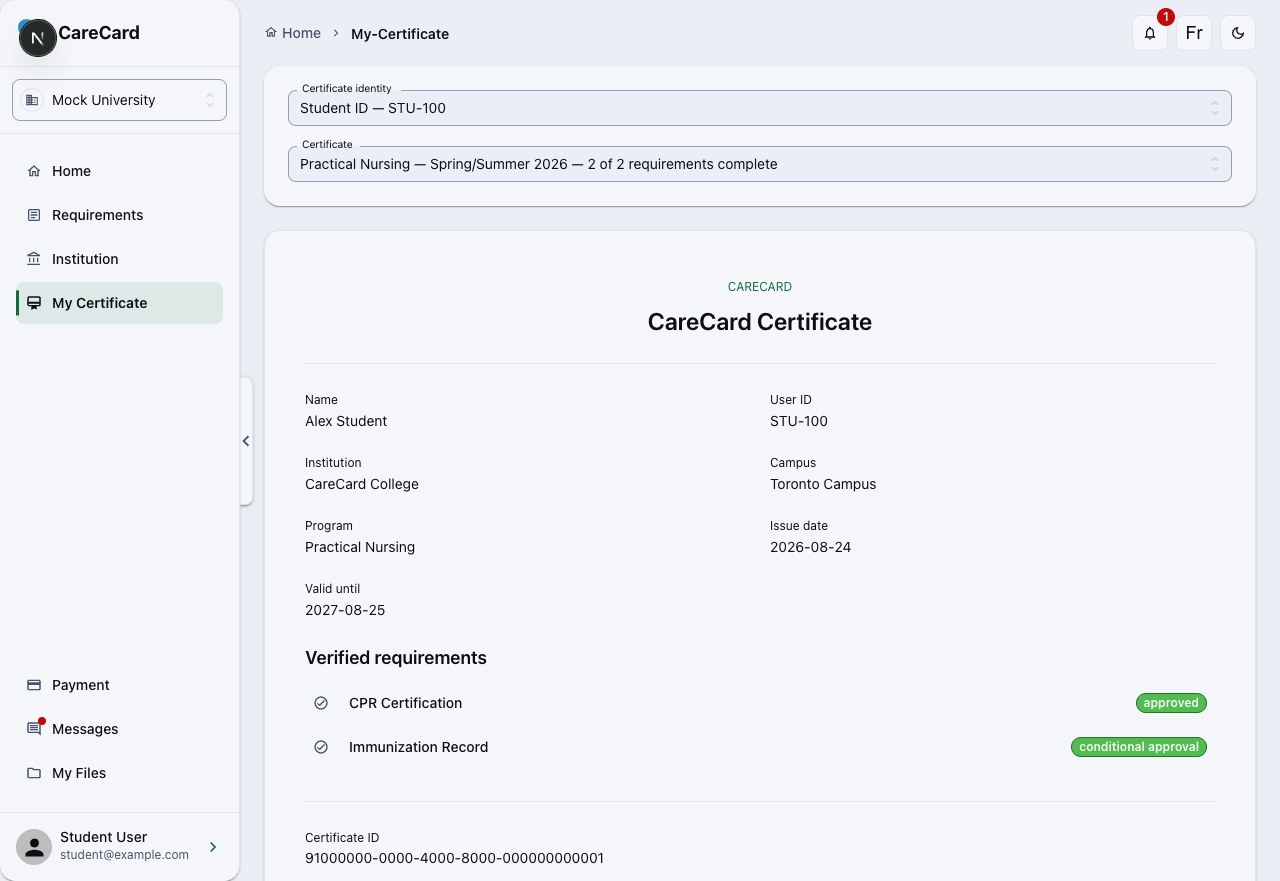
The certificate shows your Name and User ID, your Institution, Campus, and Program, its Issue date and Valid until date, the list of Verified requirements — each marked Approved or Conditional Approval — and a unique Certificate ID.
When a Program Certificate Is Ready
A program certificate is issued for a current or future term only when every requirement in that program is Approved or Conditional Approval and not expired. Until then, the page says the program doesn't yet have all its evidence. Not there yet? Issue a custom certificate instead.
Issuing a Custom Certificate
You don't have to wait for a whole program. Choose Custom Certificate in the Certificate selector to build one from what's already verified:
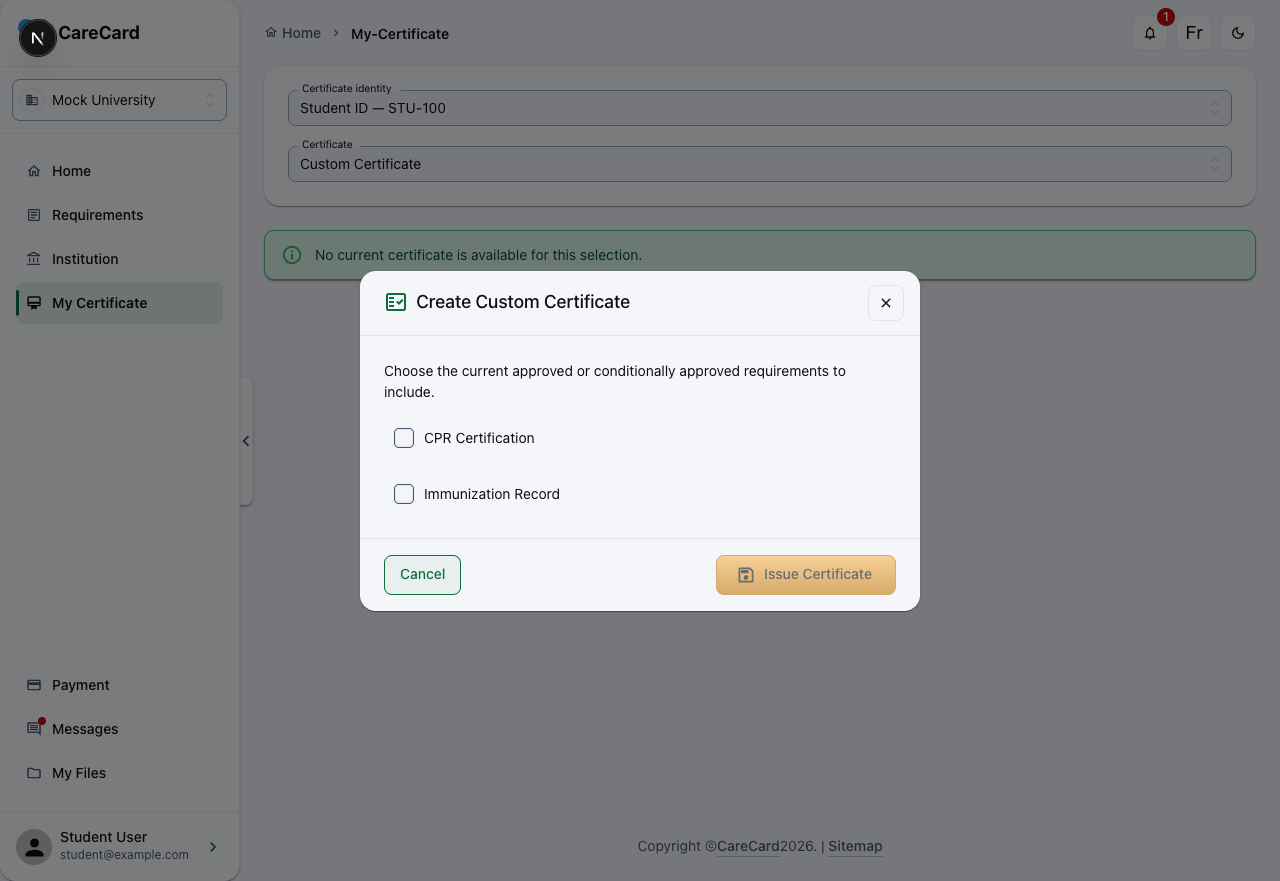
In Create Custom Certificate, tick at least one current requirement that's Approved or Conditional Approval and not expired. Issue Certificate stays disabled until you do. The new certificate is issued against your selected identity and appears in the Certificate list. It contains only the evidence you picked — no institution, campus, program, or term.
This helps when someone needs only part of your record, such as your immunizations on their own.
If any included evidence has an expiry date, the certificate's Valid until is the earliest of those dates. Evidence that never expires doesn't shorten it.